


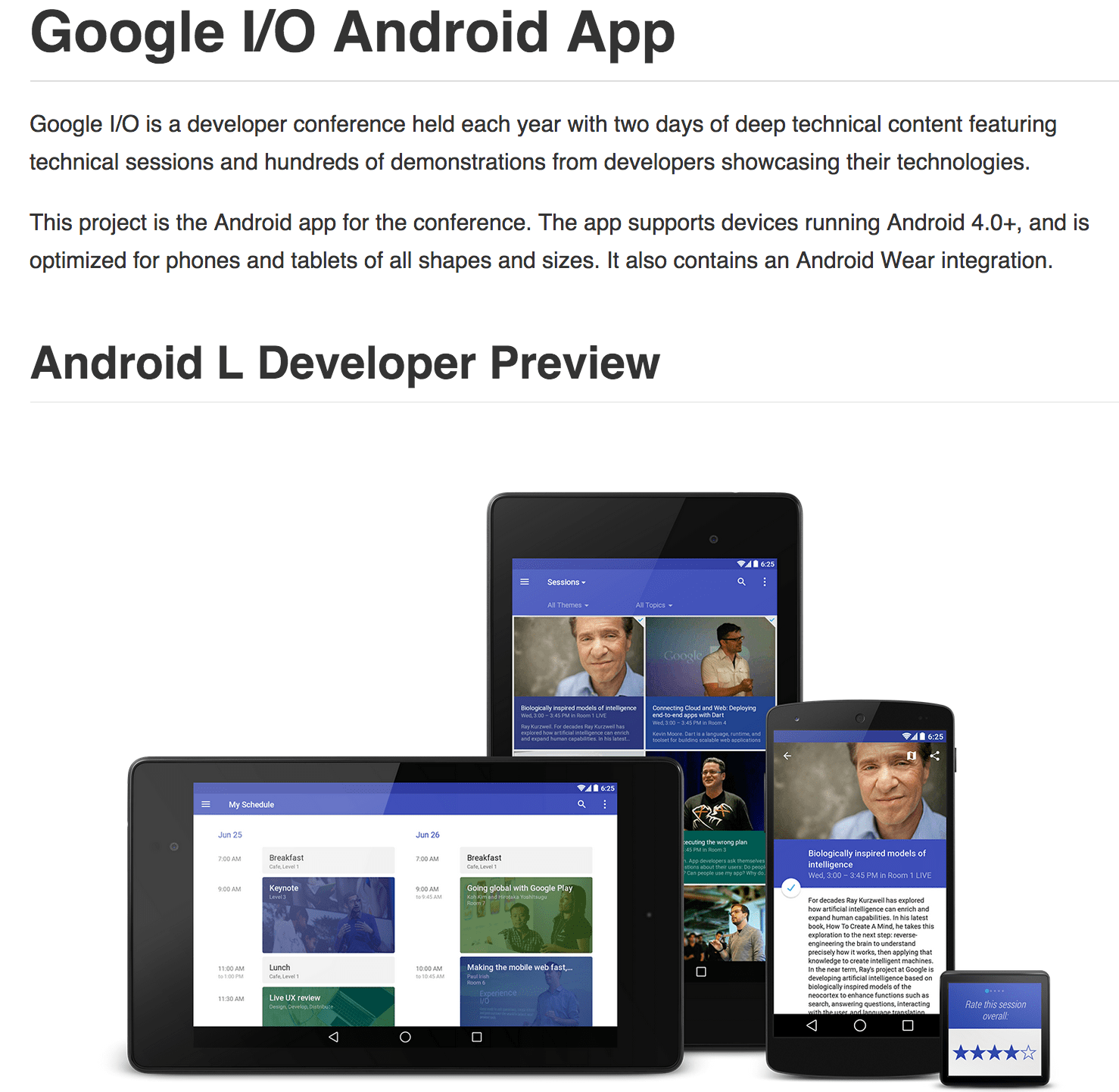
【Wearable / Material Design 満載】アプリ「Google I/O 2014」のソースコードが利用可能に

google_iosched 2

google_iosched

google/iosched

毎年ソースコード公開していますが, 勉強になります, これ.

どんな機能があるかを汎用的にまとめると

・ edit your personal schedule
・ Sync your schedule between all of your devices and website
・ View detailed Google+ profiles
・ +1 sessions right from the app
・ Participate in conversations on Google+
・ using the vector-based map
・ Get a reminder in your schedule are due to start
・ View information in the Developer Sandbox
・ Play live video streams
・ Beam from your NFC-enabled device to another using Android Beam
・ Scan on your NFC-enabled device
・ Send feedback from your phone/tablet, or from your Android Wear device

ビルド時の説明も細かくあります.

iosched_BUILDING_md_at_master_·_google_iosched

Building without Android Wear
If you do not wish to build the Android Wear component, you can remove or comment out the following line on android/build.gradle:

wearApp project(":Wearable")

Also, remove ':Wearable' from settings.gradle, leaving only ':android'.

iosched/BUILDING.md at master · google/iosched

確認する価値はあると思われます.

Google announced in a blog post that it has released the source code to the…
Google I/O 2014 App Source Code Now Available | Android Developers Blog


Google Play Store に apk をスクリプトでアップロードする

GoogleからこんなAPIが公開されています.

Awesome__Automated_Google_Play_publishing_via_an_API__May_add_this_into_my…

Awesome! Automated Google Play publishing via an API. May add this into my…

これまでのapkアップロードの方法は, ブラウザからapkをアップロードしていましたが.

APK-Google_Play_Developer_Console

このAPI何ができるのか.

API Reference - Google Play Developer API — Google Developers

ほとんどこれまでブラウザで操作してた「Google Developer Console」の内容は処理できる雰囲気.

apk を操作するのは以下.

Edits.apklistings

Edits.apks

サンプルとしてpythonなスクリプトあります.

google/google-api-python-client

android-play-publisher-api/v2/python at master · googlesamples/android-play-publisher-api

android-play-publisher-api-master/v2/python/
├── README.md
├── basic_list_apks.py
├── basic_list_apks_service_account.py
├── basic_upload_apks.py
├── client_secrets.json
├── update_listings.py
├── upload_apks_rollout.py
└── upload_apks_with_listing.py

とりあえず, スクリプトから PlayStore にアクセスして apk のアップロード済みリストを取得してみる.

$ python basic_list_apks.py
usage: basic_list_apks.py [-h] [--auth_host_name AUTH_HOST_NAME]
                          [--noauth_local_webserver]
                          [--auth_host_port [AUTH_HOST_PORT [AUTH_HOST_PORT ...]]]
                          [--logging_level {DEBUG,INFO,WARNING,ERROR,CRITICAL}]
                          package_name
$ python basic_list_apks.py com.sample.package
versionCode: 92, binary.sha1: b364588222644f011a027d8ca00c99590a67ede5
versionCode: 93, binary.sha1: bfe26c13974454e893192802fb0ef09bbb0e9678
versionCode: 94, binary.sha1: f5affe6fef705365fd53441889405c88c930c535

効率的に自動化する使い方ができそう.

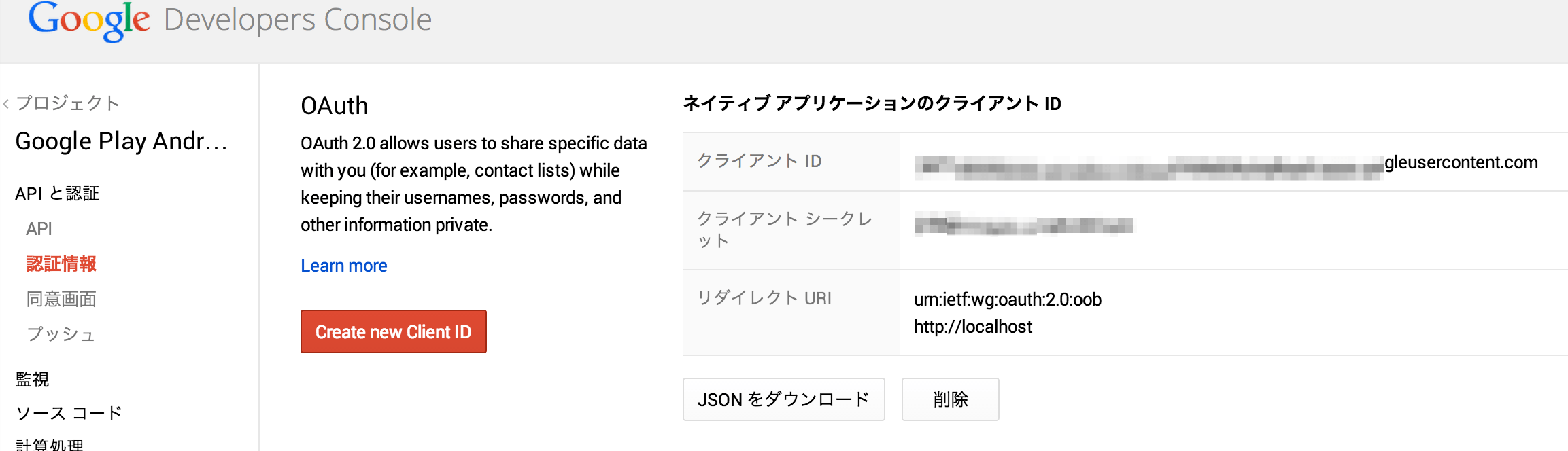
まずは以下から, APIのIDとキーの取得からやるとわかりやすいかも.

Google_Developers_Console

Google Developers Console


ひさびさに更新したら動かないプロジェクトたち #androidstudio

8/1 になんだかんだというのでちまちまやってるといろんなことがおこる.

【 Android_ID / IMEI を使ったらアウト?! 】8/1 以降 「端末の特定」はすべて Google「広告ID」経由に

build tool を 19.1.0 にする.

android {
    compileSdkVersion 19
    buildToolsVersion ’19.1.0'

Gradle Plugin のバージョンを 0.12.0 以降にする.

buildscript {
    dependencies {
        classpath 'com.android.tools.build:gradle:0.12.+'

Error:The project is using an unsupported version of Gradle. Please use version 1.12.
Please point to a supported Gradle version in the project's Gradle settings or in the project's Gradle wrapper (if applicable.)

gradle/wrapper/gradle-wrapper.properties

distributionUrl=http\://services.gradle.org/distributions/gradle-1.12-all.zip

Error:Execution failed for task ’sample:processDefaultFlavorDebugManifest'.
> Manifest merger failed : uses-sdk:minSdkVersion 17 cannot be smaller than version L declared in library com.android.support:appcompat-v7:21.0.0-rc1

appcompat が 21 を拾ってエラー
→ 19.+ に

dependencies {
    compile 'com.android.support:appcompat-v7:19.+'
    compile 'com.google.android.gms:play-services:+’

Warning:(21, 25) Not targeting the latest versions of Android; compatibility modes apply. Consider testing and updating this version. Consult the android.os.Build.VERSION_CODES javadoc for details.

android {
    compileOptions {
        sourceCompatibility JavaVersion.VERSION_1_7
        targetCompatibility JavaVersion.VERSION_1_7

Gradle のバージョンて こんな風になってたのかっ

Android_Studio_Gradle_issue_upgrading_to_version_0_5_0_-_Gradle_Migrating_From_0_8_to_0_9_-_Also_Android_Studio_upgrade_to_0_8_1_-_Stack_Overflow

Android Studio Gradle issue upgrading to version 0.5.0 - Gradle Migrating From 0.8 to 0.9 - Also Android Studio upgrade to 0.8.1 - Stack Overflow